Loading homepage

Follow the guided timeline, switch between platform visuals, and complete activation with fewer setup mistakes.
From eligibility check to your first data session abroad.
First, make sure your phone supports eSIM. Open your mobile settings to verify.
After purchase, a QR code is sent to your email. Scan it with your phone camera.
After scanning, follow the on-screen installation steps. Enter the confirmation code if prompted.
Once installed, activate the eSIM from your settings menu and configure your data settings.
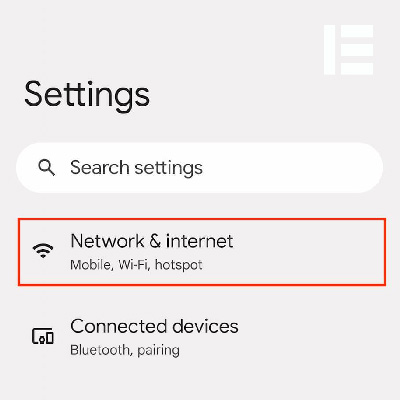
Connect your device to a stable Wi-Fi network.
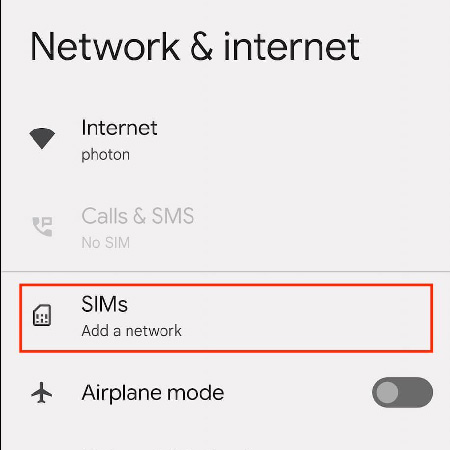
Open Settings and select the "Connections" menu.
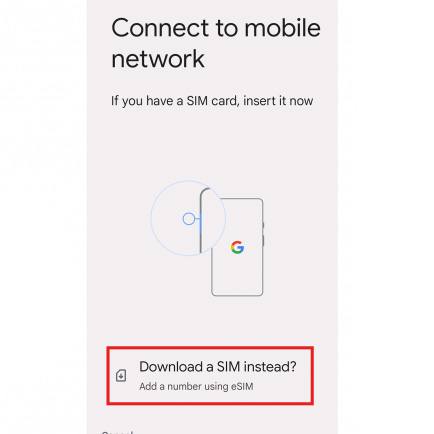
Navigate to SIM Card Manager → Add Mobile Plan → Add Using QR Code.
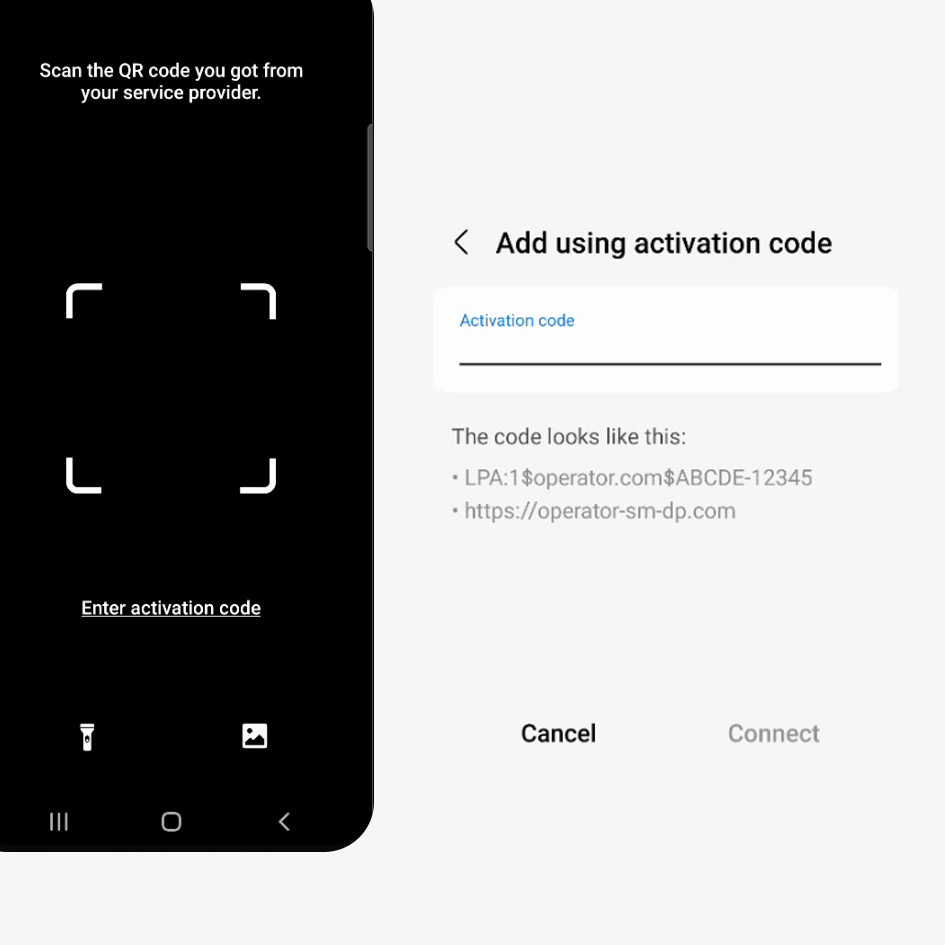
Scan the QR code from your email and confirm to install.
Make sure your smartphone supports eSIM technology before purchasing a plan.


Our technical support team is available 24/7 to guide you through the setup process or answer any questions you might have.