1
iPhone (iOS)
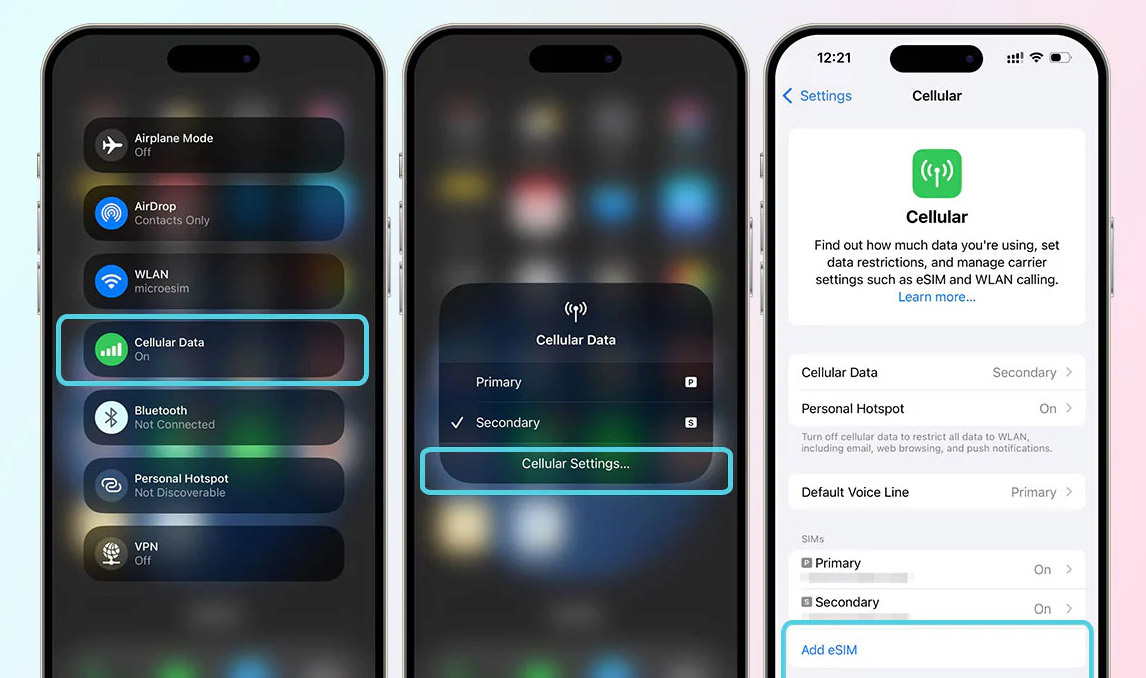
Open Settings, then Cellular or Mobile Data. Choose Add eSIM or Add Cellular Plan and follow the prompts.
Labels can vary slightly by iOS version and region.
Support center
Quick install notes for iOS and Android, every way to reach us, and answers to common questions—all in one place.
Getting online
Step-by-step activation paths for iPhone and Android. For screenshots and deeper troubleshooting, open the full guide.
Open Settings, then Cellular or Mobile Data. Choose Add eSIM or Add Cellular Plan and follow the prompts.
Labels can vary slightly by iOS version and region.
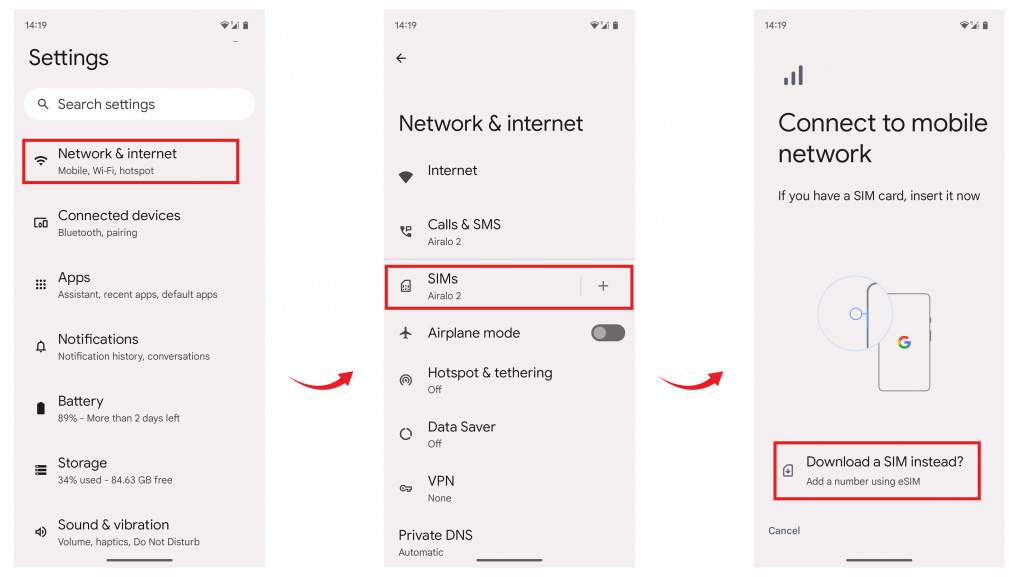
Open Settings → Network & Internet or Connections. Go to SIMs / Mobile network, then choose an option like Add eSIM or Download a SIM instead.
Exact paths depend on manufacturer and Android version.
Need more detail?
Open the complete setup guide with visuals and tips.
Prefer voice for urgent issues; email is great for attachments and order IDs.
Policies, compatibility notes, and product context—useful before you message support.
Help center
Tap a question to expand the answer. If something still looks wrong on-device, contact us with your order reference.
eSIM is a digital SIM that allows you to connect to mobile networks without needing a physical SIM card. This technology is supported by most new smartphones.
After purchase, you will receive a QR code and activation instructions. By scanning the QR code and following simple steps, your eSIM will be activated in minutes.
Most new smartphones support eSIM. You can check your phone settings for eSIM options to confirm compatibility.
eSIM activation typically takes less than 5 minutes. You will receive activation information immediately after purchase.
Yes, most eSIM-compatible phones can store multiple eSIM profiles, though usually only one can be active at a time.
Our support team is available 24/7 to assist you. You can contact us via phone, email, or the channels listed on this page.